
Salesforce Administrator – 201 and App Builder
$1,499 – $2,499Price range: $1,499 through $2,499
$1,499
-
LevelIntermediate
-
Duration35 hours
-
Last UpdatedMarch 3, 2026
Hi, Welcome back!
Who Should Enroll
- Aspiring Salesforce Administrators and App Builders
- CRM professionals and consultants
- Project managers and business analysts working with CRM platforms
- Developers and system administrators looking to move into Salesforce roles
- Fresh graduates or professionals seeking a career in Salesforce ecosystem
Requirements
- No mandatory prerequisites
- Prior experience with any CRM system, development, or administration is helpful but not required
- Learners must complete the 4-day training program before attempting the exams
- Register for the certification exams directly on the Salesforce website
- Select the required exam (Administrator or App Builder), date, and exam mode (online or onsite – both proctored)
- Review exam guidelines before the test
- Exams are closed-book and no reference material is allowed
- Passing scores:
- Administrator (ADM-201): 65%
- Platform App Builder: 63%
- A stable internet connection is required for online training and online proctored exams
Material Includes
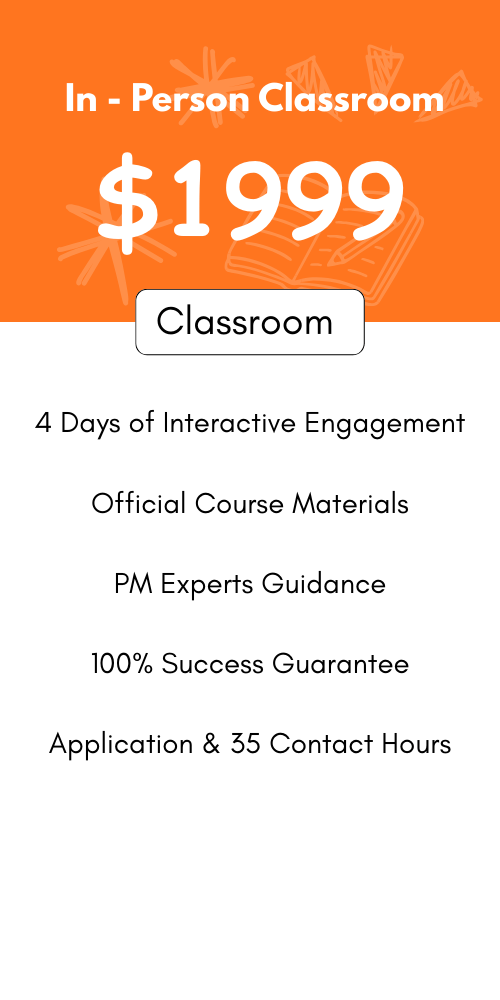
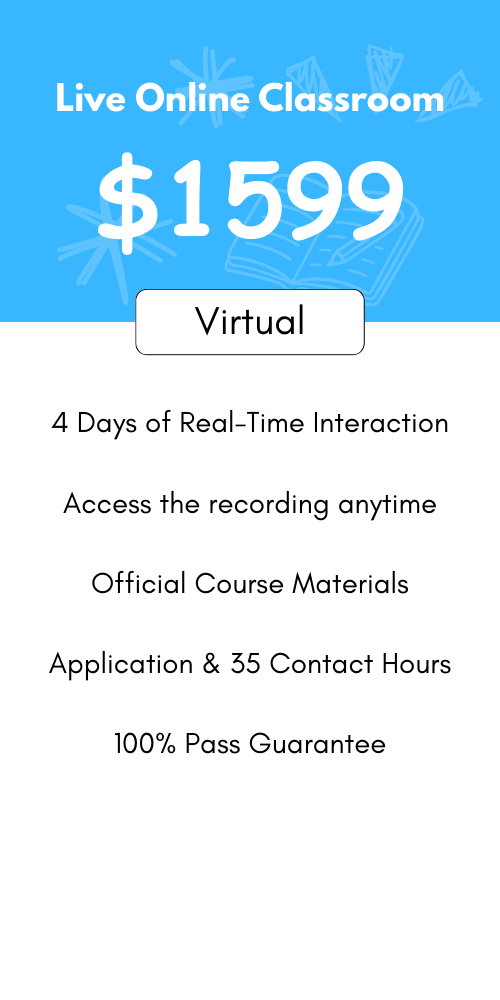
- 4 days of intensive instructor-led classroom or live online training
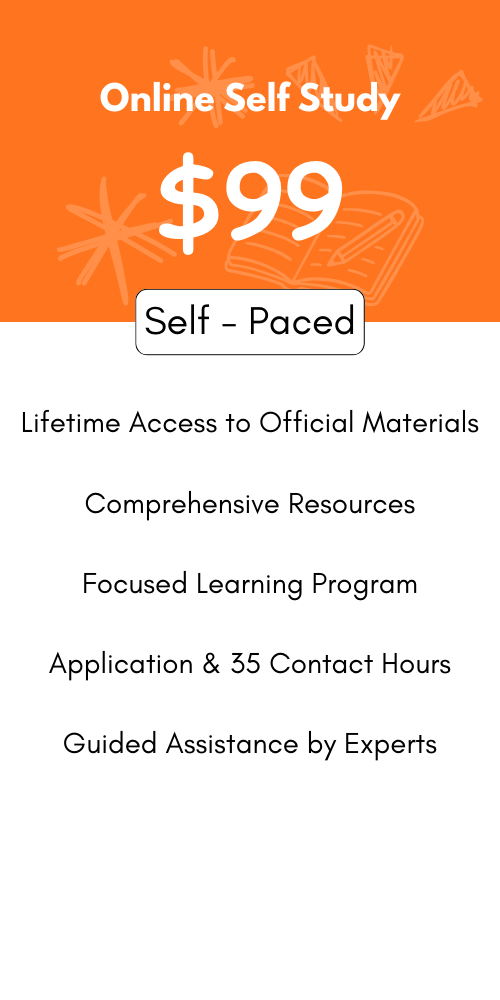
- Downloadable courseware (lifetime single-user access after download)
- Practical labs and hands-on exercises
- Practice tests and revision notes
- 35 contact hours / PDU certificate from Certification Guide
- Support during exam preparation
Description
This hands-on Salesforce training program by Certification Guide prepares you to manage, configure, and build applications on the Salesforce platform and successfully clear both certification exams—Salesforce Certified Administrator (ADM-201) and Salesforce Certified Platform App Builder. The course covers administration, data management, security, automation, reporting, and application development using Lightning and declarative tools on the Salesforce platform.
Course Agenda
Introduction to Salesforce
-
Introduction to Salesforce
Lesson 01 – Salesforce Overview
-
Salesforce Salesforce Overview
-
Introduction to Salesforce
-
Salesforce Editions
-
Home Page Customization
-
User Management
-
Creating and Customizing Tabs
-
Creating an App
-
Uploading a Company Logo
-
Company Information Page
-
System Overview Page
-
Updating the Fiscal Year
-
Quiz
-
Case Study
-
Case study Demo
-
Key Takeaways
-
Conclusion
Lesson 02 – Sales Cloud
-
Introduction to Sales Cloud
-
Sales Cloud
-
Leads Home Page
-
Creating List Views
-
Creating and Converting Leads
-
Creating Accounts
-
Creating Contacts
-
Creating Email Templates
-
Sending Individual Emails
-
Sending Mass Emails
-
Creating and Managing Price Books
-
Creating Products
-
Creating Opportunities
-
Creating Activities
-
Creating a Web-to-Lead Form
-
Creating a Lead Assignment Rule
-
Creating a Lead Queue
-
Sending Mass Emails
-
Creating an Auto-Response Rule
-
Creating Campaigns
-
Record Types
-
Quiz
-
Case Study 1
-
Case Study Demo
-
Case Study 2
-
Case Study Demo 2
-
Key Takeaways
-
Conclusion
Lesson 03 – Quote Templates
-
Introduction to Quote Templates
-
Quote Templates
-
Creating a Quote Record
-
Creating a Quote Template
-
Generating a Quote PDF
-
Emailing a Quote PDF
-
Modifying Quote Templates
-
Quiz
-
Case Study
-
Case Study Demo
-
Key Takeaways
-
Conclusion
Lesson 04 – Service Cloud
-
Introduction to Service Cloud
-
Service Cloud
-
Creating Cases
-
Creating Case Assignment Rules
-
Creating Case Escalation Rules
-
Enabling Solutions
-
Creating Solutions
-
Attaching Solutions to Cases
-
Enabling Knowledge
-
Configuring Knowledge
-
Creating a Web-to-Case Form
-
Creating an Email-to-Case Address
-
Quiz
-
Case Study 1
-
Case Study 1 Demo
-
Case Study 2
-
Case Study 2 Demo
-
Key takeaways
-
Conclusion
Lesson 05 – Field Types
-
Introduction to Field Types
-
Field Types
-
Modifying Standard Fields
-
Creating Auto-number Fields
-
Creating Formula Fields
-
Creating Roll-Up Summary Fields
-
Creating Lookup and Master Detail Fields
-
Creating Checkbox Fields
-
Creating Currency, Number, and Percent Fields
-
Creating Date Field and Date and Time Fields
-
Creating Phone and Email Fields
-
Creating Geolocation Fields
-
Creating Picklist and Multi-Select Picklist Fields
-
Creating Picklist and Multi-Select Picklist Fields
-
Creating Text and Text Area Fields
-
Creating Text Area Long and Text Area Rich Fields
-
Creating Encrypted Fields
-
Creating URL Fields
-
Quiz
-
Case Study
-
Case Study Demo
-
Key takeaways
-
Conclusion
Lesson 06 – Salesforce Objects
-
Introduction to Salesforce Objects
-
Salesforce Objects
-
Standard Object Components
-
Renaming Standard Objects
-
Modifying Standard Objects
-
Understanding External Objects
-
Creating Custom Objects
-
Quiz
-
Case Study
-
Case Study Demo
-
Key Takeaways
-
Conclusion
Lesson 07 – Creating Buttons, Links, and Actions
-
Introduction to Creating Buttons, Links, and Actions
-
Creating Buttons, Links, and Actions
-
Creating New Records with Actions
-
Logging a Call with Actions
-
Updating a Record with Actions
-
Creating Custom Buttons
-
Creating Custom Links
-
Quiz
-
Case Study
-
Case Study Demo
-
Key Takeaways
-
Conclusion
Lesson 08 – Visual Workflow, Process Builder, and Schema Builder
-
Introduction to Visual Workflow, Process Builder, and Schema Builder
-
Visual Workflow, Process Builder, and Schema Builder
-
Creating a Visual Flow
-
Modifying Existing Flows
-
Creating a Process in the Process Builder
-
Creating Fields in the Schema Builder Quiz
-
Case Study
-
Case Study Demo
-
Key Takeaways
-
Conclusion
Lesson 09 – Validation Rules
-
Introduction to Validation Rules
-
Validation Rules
-
Creating Validation Rules
-
Creating Formulas
-
Creating Error Messages
-
Quiz
-
Case Study
-
Case Study Demo
-
Key Takeaways
-
Conclusion
Lesson 10 – Workflow Rules
-
Introduction to Workflow Rules
-
Workflow Rules
-
Creating a Workflow Rule
-
Creating a Workflow Rule Field Update
-
Creating a Workflow Rule Task Assignment
-
Creating a Workflow Rule Email Alert
-
Quiz
-
Case Study 1
-
Case Study Demo
-
Case Study 2
-
Case Study Demo
-
Key Takeaways
-
Conclusion
Lesson 11 – Lightning Components
-
Introduction to Lightning Components
-
Lightning Components
-
Installing Lightning Components
-
Lightning Component Capabilities
-
Lightning Components vs. Visualforce
-
Quiz
-
Case Study
-
Case Study Demo
-
Key Takeaways
-
Conclusion
Lesson 12 – Role Hierarchy
-
Introduction to Role Hierarchy
-
Role Hierarchy
-
Viewing Role Hierarchy
-
Creating Roles
-
Enabling Field History
-
Creating Groups
-
Creating Permission Sets
-
Assigning Roles to Users
-
Quiz
-
Case Study
-
Case Study Demo
-
Key Takeaways
-
Conclusion
Lesson 13 – Security Controls
-
Introduction to Security Controls
-
Security Controls
-
Viewing Object Security
-
Changing Default Record Access
-
Sharing Settings
-
Field Accessibility
-
Password Policies
-
Session Settings
-
Login Flows
-
Network Access
-
Activations
-
Session Management
-
Login Access Policies
-
Certificate and Key Management
-
Viewing Setup Audit Trail
-
Executing Expire All Passwords
-
Delegated Administration
-
Remote Site Settings
-
Named Credentials
-
File Upload and Download Security
-
Quiz
-
Case Study
-
Case Study Demo
-
Key Takeaways
-
Conclusion
Lesson 14 – Profiles
-
Introduction to Profiles
-
Profiles
-
Standard Profiles Overview
-
Assigning Page Layouts
-
Field-Level Security
-
Custom App Settings and Access
-
Tab Settings
-
Record Type Settings
-
Administrative Permissions
-
General User Permissions
-
Standard Object Permissions
-
Custom Object Permissions
-
Password Policies and Session Timeout
-
Login Hours and IP Ranges
-
Enabling Apex and Visualforce Access
-
Quiz
-
Case Study
-
Case Study Demo
-
Key Takeaways
-
Conclusion
Lesson 15 – Chatter
-
Introduction to Chatter
-
Chatter
-
Chatter Overview
-
Enabling Chatter
-
Enabling Chatter Feeds on Records
-
Configuring Chatter Groups
-
Creating Customer Groups
-
Creating a Free Customer Chatter User
-
Customizing Chatter Email Notifications
-
Configuring Salesforce to Salesforce
-
Accepting a Salesforce Connection
-
Sharing an Account via Salesforce to Salesforce
-
Enabling Ideas
-
Configuring Ideas Themes
-
Enabling Social Accounts
-
Enabling Libraries and Content
-
Customizing Libraries and Content
-
Uploading Documents to Libraries and Content
-
Configuring Salesforce
-
Quiz
-
Case Study
-
Case Study Demo
-
Key Takeaways
-
Conclusion
Lesson 16 – Reports
-
Introduction to Reports
-
Reports
-
Understanding Report Formats
-
Creating a Leads Report
-
Creating Contacts and Accounts Report
-
Creating an Opportunity Report
-
Adding Leads to a Campaign from a Report
-
Creating a Report Chart
-
Scheduling Reports
-
Creating a Campaign Report
-
Summarizing Report Data
-
Creating a Report Formula
-
Exporting Reports to Excel
-
Quiz
-
Case Study 1
-
Case Study 1 Demo
-
Case Study 2
-
Case Study 2 Demo
-
Key Takeaways
-
Conclusion
Lesson 17 – Dashboards
-
Introduction to Dashboards
-
Dashboards
-
Understanding Dashboard Components
-
Creating a Dashboard
-
Refreshing a Dashboard
-
Modifying Columns on Dashboards
-
Adding Filter to Dashboard
-
Managing Access to Reports
-
Adding a Report as a Dashboard Component
-
Setting Up Dynamic Dashboards
-
Enabling Dashboards for iPad
-
Modifying Report and Dashboard Interfaces
-
Activating the Report Builder on Profiles
-
Quiz
-
Case Study
-
Case Study Demo
-
Key Takeaways
-
Conclusion
Lesson 18 – Data Management
-
Introduction to Data Management
-
Data Management
-
Importing Leads
-
Importing Contacts and Accounts
-
Using Mass Delete
-
Installing Data Loader
-
Importing Records with Data Loader
-
Updating Records with Data Loader
-
Deleting Records with Data Loader
-
Exporting Records with Data Loader
-
Adding a Field in the Schema Builder
-
Scheduling a Data Export
-
Creating and Using Sandbox
-
Mass Transferring Records
-
Reporting Snapshots
-
Working with Tags
-
Quiz
-
Case Study
-
Case Study Demo
-
Key Takeaways
-
Conclusion
Lesson 19 – AppExchange
-
Introduction to AppExchange
-
AppExchange
-
AppExchange Overview
-
Finding and Selecting an App
-
Finding a Developer
-
Finding a Consultant
-
Quiz
-
Case Study
-
Case Study Demo
-
Key Takeaways
-
Conclusion
Lesson 20 – Communities
-
Introduction to Communities
-
Communities
-
Creating a New Community
-
Topic Management
-
Recommendations Management
-
Reputation Management
-
Adding Members
-
Managing Tabs and Branding
-
Login and Registration
-
Community Preferences
-
Quiz
-
Case Study
-
Case Study Demo
-
Key Takeaways
-
Conclusion
Lesson 21 – Change Sets and Deployment
-
Introduction to Change Sets and Deployment
-
Change Sets and Deployment
-
Outbound Change Sets
-
Inbound Change Sets
-
Deployment Settings
-
Deployment Status
-
Eclipse IDE
-
Quiz
-
Case Study
-
Case Study Demo
-
Key Takeaways
-
Conclusion
Lesson 22 – User Interface
-
Introduction to User Interface
-
User Interface
-
User Interface General Options
-
User Interface Sidebar Options
-
User Interface Calendar Options
-
User Interface Name Settings
-
User Interface Setup Options
-
Quiz
-
Case Study
-
Case Study Demo
-
Key Takeaways
-
Conclusion
Lesson 23 – Application Lifecycles
-
Introduction to Application Lifecycles
-
Application Lifecycles
-
Key Milestones and Considerations
-
Using Sandboxes for Development
-
Using Change Sets
-
Using Unmanaged Packages
-
Quiz
-
Case Study
-
Case Study Demo
-
Key Takeaways
-
Conclusion
Lesson 24 – Help and Training
-
Introduction to Help and Training
-
Help and Training
-
Using Answers
-
Using Ideas
-
Searching for a Help Topic
-
Contacting Support
-
Trust Site
-
Known Issues
-
Quiz
-
Case Study
-
Case Study Demo
-
Key Takeaways
-
Conclusion